
March 26, 2025e-Paper
The Hindu On Books Books of the week, reviews, excerpts, new titles and features.
Data Point Decoding the headlines with facts, figures, and numbers
First Day First Show News and reviews from the world of cinema and streaming.
Health Matters Ramya Kannan writes to you on getting to good health, and staying there
The View From India Looking at World Affairs from the Indian perspective.
Science For All The weekly newsletter from science writers takes the jargon out of science and puts the fun in!
Karnataka Today Your daily dose of news highlights from Karnataka
Today's Cache Your download of the top 5 technology stories of the day.
March 26, 2025e-Paper
Updated – March 26, 2025 12:32 pm IST
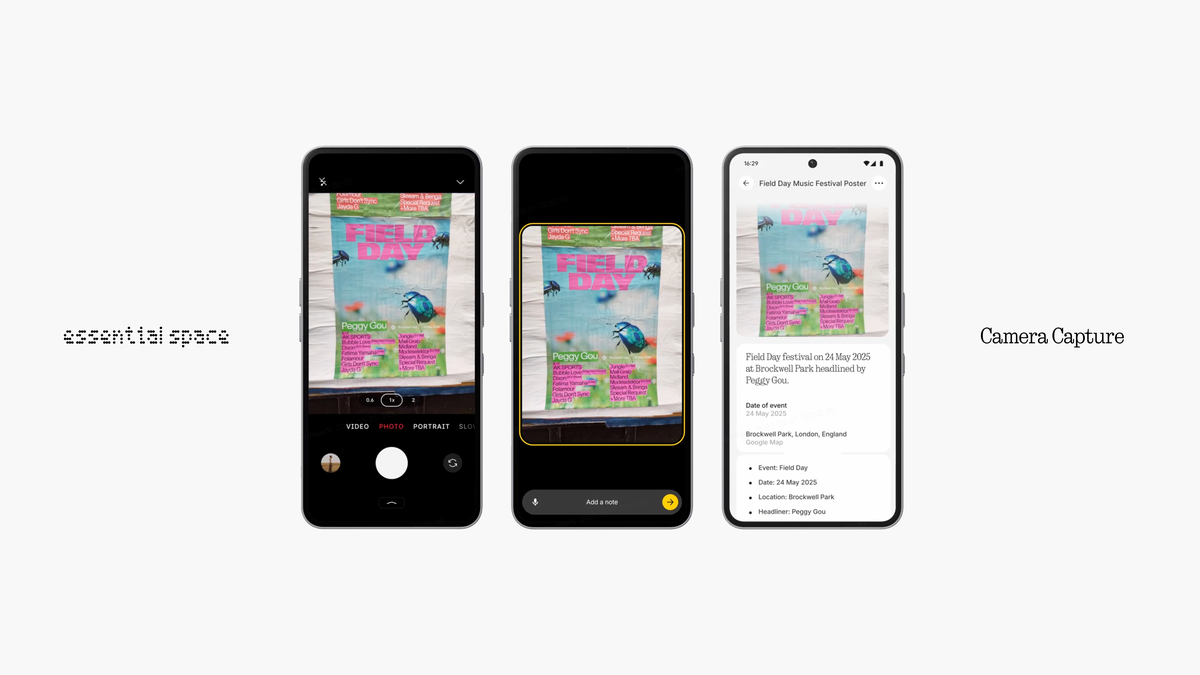
Nothing OS 3.1 update: Phone 3a and 3a Pro get key changes to Essential Key and AOD | Photo Credit: Special Arrangement
Nothing has started rolling out the first update for Essential Space which is basically for the camera app in Phone 3a and Phone 3a Pro. Now, the users will be able to use the Essential Key, a new hardware button, in the camera app to capture content directly with a short press to add notes or a long press for voice input.
Rolled out as Nothing OS 3.1 update to the newly launched Phone 3a and Phone 3a Pro, it will also correct in getting more intuitive zoom, colour tone correction, enhance white balance, and other bug fixes.
When users click photos using the Essential Key, the images will be saved in Essential Space instead of gallery. “Users can separate quality photos in the Nothing Gallery app from photo reminders in Essential Space,” the company said.
Essential Space is Nothing’s new AI-powered hub for notes and other key elements like quick capture, recording, screenshot, flip to record and smart collection.
(For top technology news of the day, subscribe to our tech newsletter Today’s Cache)
Nothing will expand the Essential Key with upcoming features like Smart Collections, Focused Search and Flip to Record in in the coming months.
The latest 3.1 update also brings enhancements to the Always On Display (AOD).
To check for the Nothing OS 3.1 update, users can go to Settings > System > System Updates.
Published – March 26, 2025 12:13 pm IST
technology (general) / gadgets (general) / PDAs and smartphones
Copyright© 2025, THG PUBLISHING PVT LTD. or its affiliated companies. All rights reserved.
BACK TO TOP
Terms & conditions | Institutional Subscriber
Comments have to be in English, and in full sentences. They cannot be abusive or personal. Please abide by our community guidelines for posting your comments.
We have migrated to a new commenting platform. If you are already a registered user of The Hindu and logged in, you may continue to engage with our articles. If you do not have an account please register and login to post comments. Users can access their older comments by logging into their accounts on Vuukle.
About The Author




More Stories
Empowering Parents in Rwanda Through Digital Literacy Training
Advancing the Safer Internet Initiative for Everyone
Youth in Action: Contributing to a More Connected and Inclusive Digital Future